
Paper
Practice with the real rules. Free forever.
$0
Simulated alerts, size check, trade cards, dashboard, reports. No real orders.
Zenostop guards your Binance Futures risk limits, places protective stops, and blocks new trades when you hit your loss limit. It only places an order when you confirm it.
Start free in Paper mode See pricing
Trade-only API key. No withdrawals. No card to start.
Trading leveraged futures can lose all of your money. Zenostop is a discipline tool, not investment advice.
On Binance, with withdrawals off and access restricted to the IP addresses Zenostop gives you.
Daily, weekly and monthly loss, risk per trade, leverage, open positions, trades per day.
Alerts on Telegram, protective stops on the exchange, new entries blocked at your limit.
You start in Paper mode. Going Live takes a paid plan, a typed confirmation and your PIN.
A small set of rules that cannot be argued with at 3 a.m.
Protective stops are placed and restored on your Binance account, so a position is not left naked.
Hit your daily, weekly or monthly loss limit and new entries are blocked. Positions you already hold stay protected.
Tightening a rule applies at once. Loosening one, or switching an automatic action off, waits 24 hours.
Going Live, resuming, rotating the key and trade cards are confirmed with a PIN only you know.
Alerts, your positions and your rules in one chat, plus a dashboard for the full picture.
Risk per trade is capped at 2% of capital, with limits on leverage, open positions and trades per day.
You are handing a bot an API key, so here is exactly what that key can and cannot do.
Trade-only, restricted to Zenostop IP addresses by you, and stored sealed. Delete it on Binance at any time and Zenostop loses access.
Automation can fail. Prices can gap through a stop. Keep your own protection in place.
The web dashboard, with sample data.
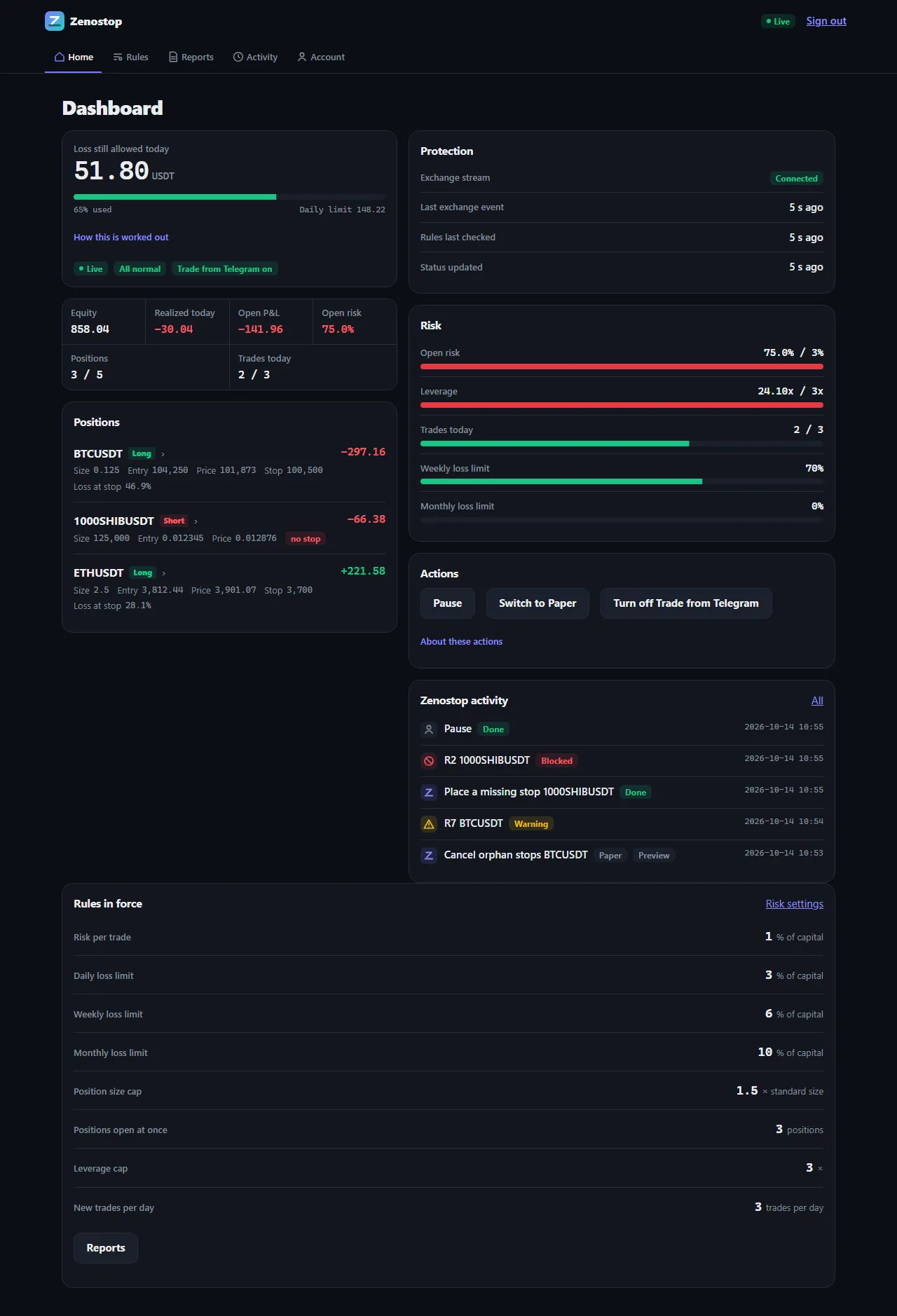
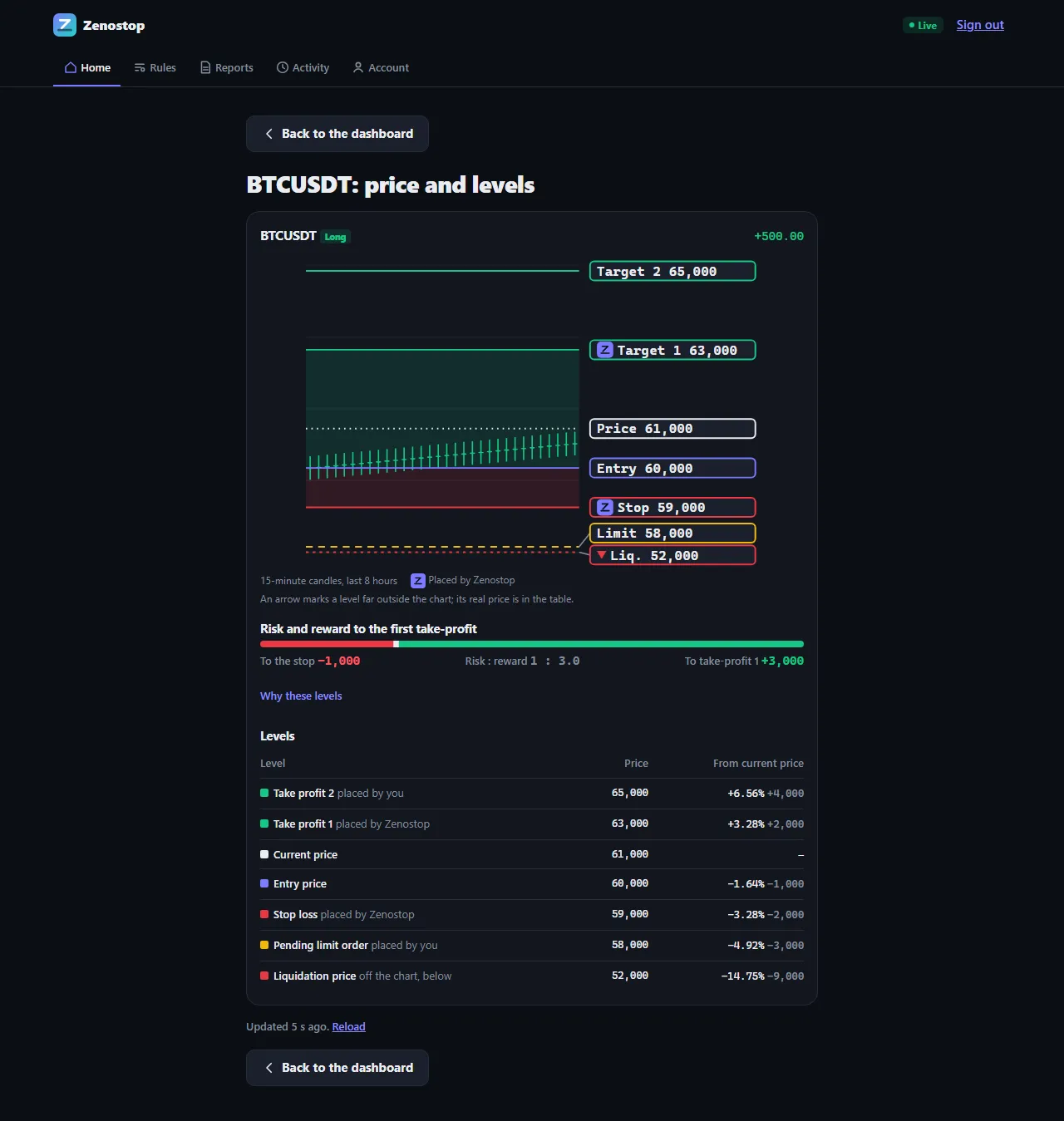
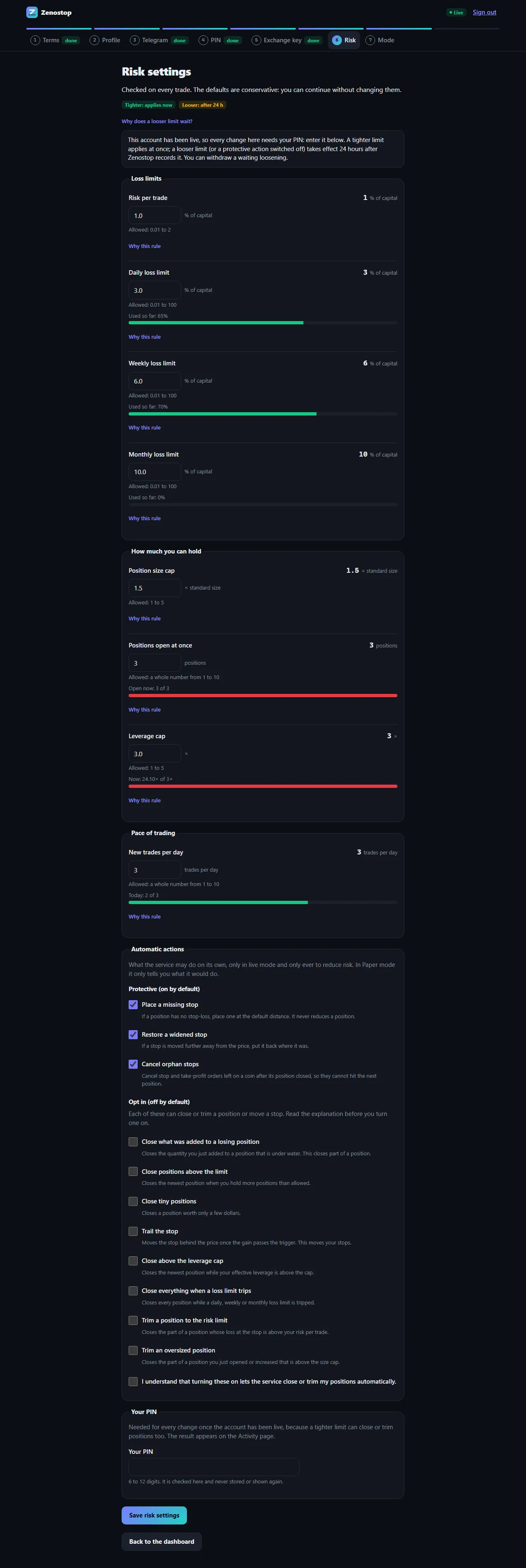
All screens show sample data, not real accounts.
Most tools tell you that you broke a rule. Zenostop also acts on your account.
| Feature | Alert-only tools | Exchange cooling-off lock | Zenostop |
|---|---|---|---|
| Tells you when a rule is broken | Yes | No | Yes |
| Loss limit that you set yourself | Usually | No: you pick a time out | Yes: daily, weekly, monthly |
| Blocks new entries at your limit | No | Locks all futures trading | Yes, open positions stay protected |
| Places protective stops | No | No | Yes |
| Waits before you can loosen a rule | No | Not applicable | Yes: 24 hours |
General categories, described from their public documentation at the time of writing. Features vary by product.
Start with Paper for free. Pay only when you want enforcement on your real account.
Practice with the real rules. Free forever.
$0
Simulated alerts, size check, trade cards, dashboard, reports. No real orders.
Enforced on your real Binance account.
$19/month or $190/year (2 months free)
Everything in Paper, plus auto stop-loss, loss-limit lock, risk and leverage caps, 24-hour anti-tilt on loosening rules, PIN-confirmed trade cards.
First 100 traders only.
$15/month or $150/year
Everything in Live. The price is locked while you stay subscribed without a gap.
No. It only places an order when you confirm it. It places protective stops and, only if you switch it on, reduces positions. Trade cards place an order only when you confirm it with your PIN.
No. A key with withdrawal or transfer rights is refused, and Zenostop never moves funds. Your money stays on Binance.
A Binance futures account, a trade-only API key, and Telegram if you want alerts there.
You get alerts and a simulation of what Zenostop would do. No orders are placed.
You need a paid plan, a typed confirmation, your PIN and a fresh check of your key.
No, by design. Loosening a limit waits 24 hours. Tightening applies at once.
New entries are blocked at once. Stops, alerts and the actions you switched on keep running for 24 hours and you are warned before they end. Orders already on the exchange stay there.
Binance USDT-M futures, including Binance Demo Trading.
No. Zenostop is a discipline tool. It does not recommend buying or selling anything, and it cannot remove the risk of trading.
Yes, you can delete your account in the app. Some records are kept for a limited time, as described in the privacy policy.
Start in Paper mode. No card, no exchange risk.